What Is a Digital Album? A Complete Guide to Creating and Sharing Your Memories
What Is a Digital Album? A Complete Guide to Creating and Sharing Your Memories
Photographs preserve the moments we never want to forget. They capture weddings, birthdays, graduations, anniversaries, family celebrations, travel adventures and many other milestones.
Most of us already have hundreds or thousands of photographs stored on phones, memory cards, cloud storage and messaging apps. The problem is that those memories can become scattered and difficult to enjoy as one complete story.
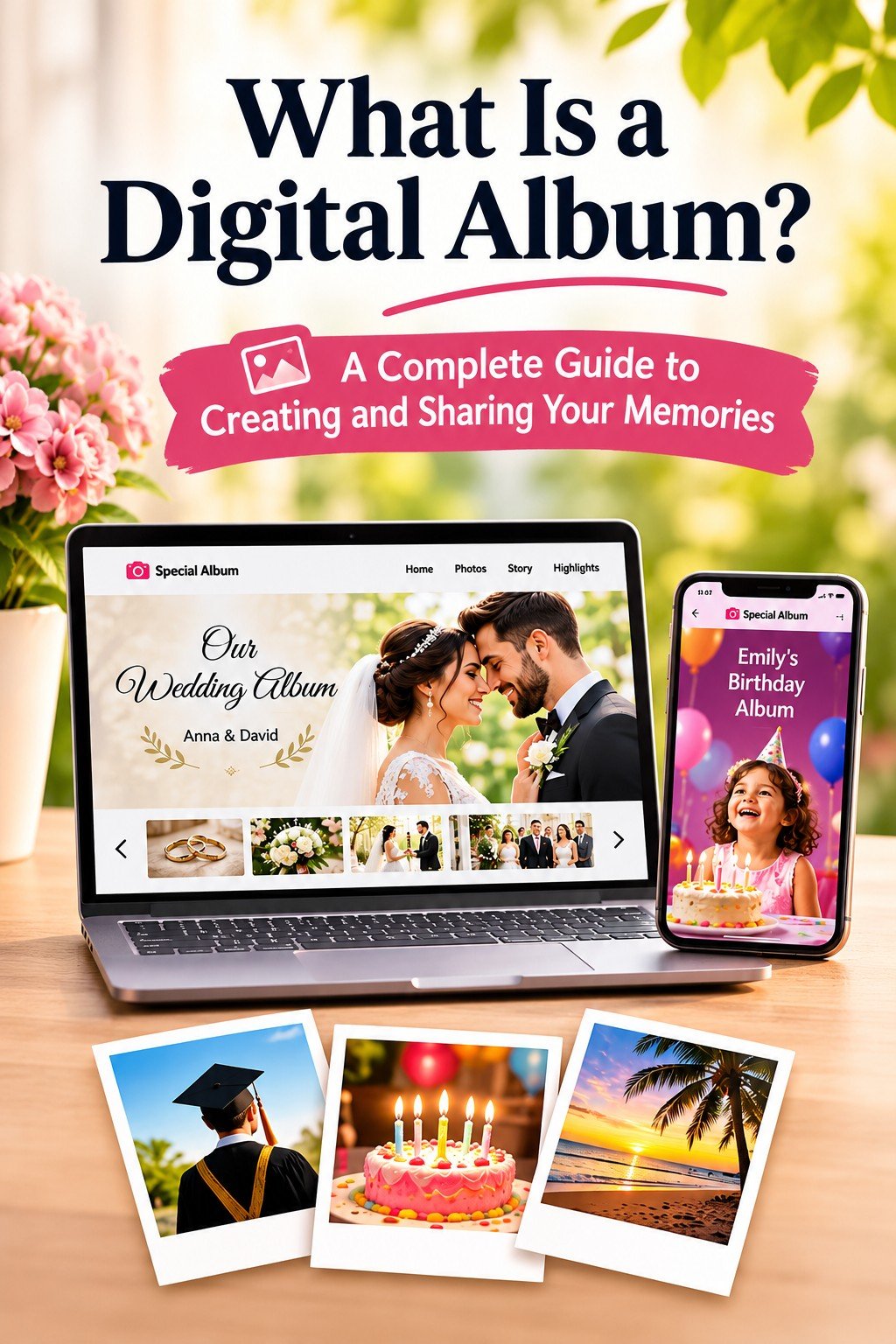
A digital album brings selected photographs, stories and event details together in one organised online experience. It can be opened through a web browser and shared with family and friends using a single link or QR code.
Want someone to create the album for you?
See how SpecialAlbum works, or explore our album examples before choosing a plan.
What Is a Digital Album?
A digital album is an online collection of photographs and personalised content arranged in a meaningful and visually appealing format. It is more than a folder containing image files. A well-designed digital album presents the photographs as a story that people can browse, revisit and share.
Depending on the platform or service, a digital album may include:
- A personalised album title.
- Event dates and important details.
- Photographs arranged in a meaningful order.
- Captions, messages and personal stories.
- Customised layouts, colours and visual designs.
- A dedicated album web address.
- A QR code that opens the album quickly.
- Mobile-friendly pages that can be viewed on phones, tablets and computers.
The result is a shareable digital memory experience that can feel more personal and complete than sending photographs one at a time.
How Does a Digital Album Work?
The exact process depends on the platform or service you choose, but creating a digital album usually follows these steps.
1. Select Your Photographs
Choose the photographs that best represent the event or memory. You do not necessarily need to include every photograph. A smaller collection of meaningful images can tell a stronger story than hundreds of almost identical pictures.
2. Organise the Story
Arrange the photographs in a logical order. A wedding album might move from engagement photographs to preparations, ceremony, reception and family celebrations. A travel album might follow the journey by location or date.
You can also add captions, dates, names, short messages and other details that help viewers understand the memories.
3. Choose a Design
Select a layout and visual style that matches the occasion. An elegant design may suit an anniversary, while a colourful design may work well for a birthday or children’s celebration.
You can browse SpecialAlbum templates to see different design directions, including options for weddings, graduations and other important occasions.
4. Create and Publish the Album
Once the photographs and information are ready, the album is designed and published online. You then receive a dedicated link that can be shared with the people you choose.
5. Share the Album
The finished album can be shared through WhatsApp, email, social media, invitations or a printed card. A QR code can also take people directly to the album when they scan it with a smartphone.
What Can You Use a Digital Album For?
Digital albums are not limited to weddings. They can be created for almost any event or collection of memories that deserves a more thoughtful presentation.
Wedding Digital Albums
Bring together engagement photographs, preparations, the ceremony, reception, family photographs and messages from loved ones. A digital wedding album makes it easy for couples and guests to revisit the celebration from anywhere.
Birthday Digital Albums
Preserve photographs from birthday decorations, cake cutting, family gatherings and special surprises. Digital birthday albums can be especially meaningful for milestone birthdays and children’s celebrations.
Anniversary and Engagement Albums
Tell the story of a relationship through photographs from different years, memorable trips, important milestones and personal messages.
Graduation Digital Albums
Combine school or university memories, the graduation ceremony, portraits, family photographs and the celebration that follows. A graduation album can preserve the journey as well as the achievement.
Travel and Holiday Albums
Organise photographs by destination, date or part of the journey. You can add short descriptions, memorable locations and personal notes so the album becomes a story of the trip rather than a random collection of pictures.
Family, Baby and Other Special Events
Digital albums can also be used for baby showers, family reunions, newborn memories, religious celebrations, cultural events, farewell gatherings, business milestones, shop openings and many other occasions.
The simple rule is this: if an event has photographs and a story worth sharing, it can become a digital album.
Why Create a Digital Album?
Easy Access on Different Devices
A web-based digital album can be opened through a compatible internet-connected phone, tablet, laptop or desktop computer. There is no need to carry a physical album when you want to show the memories to someone.
One Link Instead of Many Messages
Instead of sending photographs one by one through messaging apps, you can share one album link. This is particularly useful when an event produces hundreds of photographs or when family members live in different cities or countries.
No Dedicated App Required
A browser-based album can be opened without asking every guest or family member to install a separate application. They can simply open the link on a compatible device.
A More Personal Presentation
A digital album can use a design, order and writing style that match the event. The photographs become part of a planned experience rather than appearing as an unorganised folder.
Convenient Sharing Through a QR Code
A QR code can be printed on an invitation, thank-you card, reception table card, announcement or gift. When someone scans it, the album opens directly through their phone.
A Complete Story in One Place
Photographs, captions, dates, messages and event details can be brought together in one dedicated page. This makes the memories easier to revisit later.
Digital Album vs Google Photos, WhatsApp and Social Media
Google Photos, WhatsApp and social media are useful for storing or sharing photographs. However, they are not always designed to present a special event as a finished story.
| Feature | Digital album | Photo folder or messaging app | Social media post |
|---|---|---|---|
| Purpose | A designed presentation of a specific event or memory | Storage or quick sharing | Public or social posting |
| Organisation | Curated sections, order, captions and story | Often mixed with other photographs and messages | Usually arranged as a post or feed |
| Sharing | One dedicated link or QR code | Folder link, individual messages or invitations | Platform account or public/private post link |
| Design | Customised for the occasion | Limited or platform-controlled | Controlled by the social platform |
| Viewer experience | Feels like a finished memory story | Feels more like browsing stored files | Mixed with other social content |
| App requirement | Usually viewable through a web browser | May depend on the service or app | May require an account or platform access |
These tools are not necessarily competitors in every situation. You may use cloud storage for backup and still create a digital album when you want to present and share an important occasion in a more personal way.
Digital Album vs Traditional Photo Album
Digital and printed albums offer different experiences. One does not have to replace the other, and some families may choose to have both.
| Feature | Digital album | Traditional photo album |
|---|---|---|
| Format | Online or electronic | Physical printed pages |
| Access | Through a phone, tablet or computer | By opening the physical album |
| Sharing | Link or QR code | Pass the album to someone |
| Storage | Hosted online according to the service terms | Stored physically |
| Presentation | Customisable digital layouts and story sections | Printed layouts and pages |
| Internet | Usually required to view it | Not required |
| Portability | Available wherever you have a compatible device | Requires carrying the album |
How Can You Share a Digital Album?
Share Through a Direct Link
A dedicated album address can be copied into WhatsApp, email, text messages or social media. This is often the simplest way to share the album with family and friends.
Share Through a QR Code
A QR code can be placed on wedding invitations, birthday displays, graduation announcements, reception tables, thank-you cards and printed gifts. Guests can scan the code and open the album on their phone.
Share with Selected People
Before publishing or sharing an album, consider who should receive the link. Do not include private photographs or personal information unless you are comfortable sharing them with the intended audience.
How Do You Create a Beautiful Digital Album?
Creating a meaningful album involves more than uploading every photograph. These steps can improve the final experience.
- Choose your best photographs: Select photographs that capture important moments instead of including every similar image.
- Give the album a meaningful title: Use a title that reflects the occasion, such as “Our Wedding Day”, “Amara’s Graduation” or “Our Family Trip”.
- Arrange photographs logically: Use a chronological order, location order or sections that make sense for the event.
- Include a personal story: A short introduction, message or description can make the album more meaningful.
- Use captions carefully: Add context where it helps, but avoid adding text to every photograph.
- Choose a suitable design: The colours and layout should support the photographs and the mood of the occasion.
- Check the album on a phone: Most people will view the album on a mobile device, so check the text, images and navigation before sharing it.
How SpecialAlbum Creates Your Digital Album
If you want a professionally designed digital album without building the entire experience yourself, SpecialAlbum can create it for you.
SpecialAlbum turns your photographs, story and event details into a personalised online album that can be shared through a dedicated link and QR code. It is designed for weddings, birthdays, anniversaries, graduations, engagements, travel memories, family events, business milestones and other special occasions.
With SpecialAlbum, you do not need to arrange every page or learn a design tool. You provide the memories and details, and the album is created around your occasion.
What Can Your SpecialAlbum Include?
- Personalised album design suited to the occasion.
- A dedicated online album page.
- A personalised link for sharing.
- A QR code for convenient access.
- A mobile-friendly presentation.
- Photographs, stories, captions and event details.
- Hosting according to the selected plan and its terms.
- No dedicated app required for viewers using a compatible browser.
How the SpecialAlbum Process Works
- Choose a plan: Review the available plans and features. Customers in Sri Lanka can also view the LKR pricing page.
- Send your memories: Submit your selected photographs, album title, story and event details by following the instructions on the How It Works page.
- We create your album: The photographs and information are arranged into a personalised online design.
- Receive and share: Receive your album link and QR code, then share them with the people you love.
Ready to turn your photographs into a beautiful digital story?
Explore the SpecialAlbum examples, browse the available templates, or view the plans and pricing.
Frequently Asked Questions About Digital Albums
What exactly is a digital album?
A digital album is an online collection of photographs and personalised content arranged in a structured, viewable format. It can be opened through a compatible phone, tablet or computer.
Can I create a digital album for any occasion?
Yes. Digital albums can be created for weddings, birthdays, anniversaries, graduations, engagements, holidays, family gatherings, baby events, business milestones and many other occasions.
Do people need to install an app to view a digital album?
Not necessarily. Browser-based digital albums can usually be opened through a compatible web browser without requiring viewers to install a dedicated app.
Can I share a digital album through WhatsApp?
Yes. You can share the album’s dedicated link through WhatsApp, email, text messages or social media. A QR code provides another way for people to open it.
How many photographs can I include?
The number depends on the platform and plan. Check the current plan details before placing an order.
How long does a digital album stay online?
Availability depends on the hosting period and terms of the service provider. Before purchasing, check the selected plan and the applicable hosting conditions.
Can I include captions and stories?
Yes. Captions, dates, names, messages and short stories can make the album more personal and help viewers understand the memories.
Is a digital album better than a printed album?
It depends on what you want. A printed album provides a physical experience, while a digital album is easier to share and access from different locations. Some people choose to have both.
Can a photographer order or recommend a digital album for a customer?
Photographers and studios can contact SpecialAlbum to discuss how digital albums may fit into their packages or customer services. A digital album can be offered alongside photography, printed albums or event coverage.
Final Thoughts
A digital album is a practical way to bring photographs, stories and event details together in one shareable place. It is useful when you want to preserve a wedding, birthday, graduation, anniversary, travel experience, family event or any other meaningful collection of memories.
The main difference between a basic photo folder and a professionally created digital album is the experience. A folder stores photographs. A digital album organises and presents them as a story.
When your memories deserve more than scattered files and individual messages, a personalised online album can give them a beautiful place to live and share.
Every moment deserves a story.
Create your SpecialAlbum and share your memories with the people who matter most.
